Programming is a foundational skill in computer science and software development. Learning to program is not only about mastering syntax, but about developing a structured way of thinking: breaking problems into smaller parts, designing solutions, and reasoning about correctness and efficiency.
Python has become one of the most widely used programming languages for education, research, and industry due to its readability and expressive power. A structured introduction to Python that emphasizes computational thinking is especially valuable for beginners and self-learners.
About the book
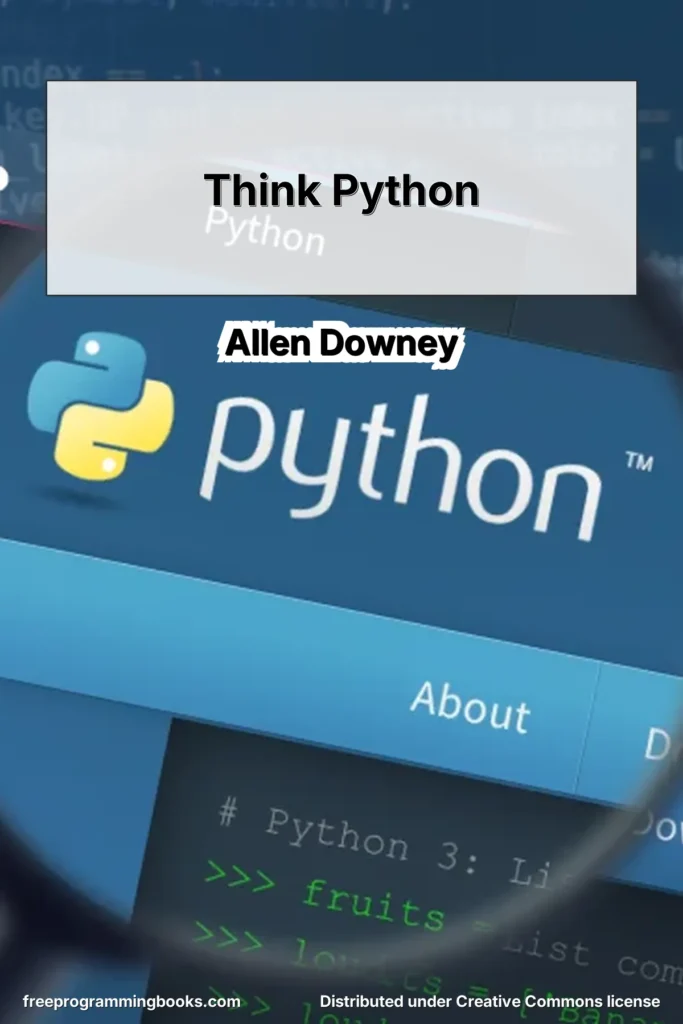
Think Python: How to Think Like a Computer Scientist (2nd Edition, Version 2.4.0) by Allen Downey is an introductory textbook that teaches programming using Python 3. The book focuses on developing problem-solving skills and computational thinking rather than overwhelming readers with language-specific details.
The author’s stated goal is to help readers “think like a computer scientist.” The text is designed to build concepts gradually, minimizing jargon and introducing terms carefully. It is suitable for beginners with little or no prior programming experience, as well as students in introductory computer science courses.
The second edition includes updates for Python 3, expanded debugging sections at the end of each chapter, additional exercises, case studies, and appendices on debugging and algorithm analysis. The book also includes guidance for running Python in a browser, helping beginners get started without complex installation steps.
What you will learn
Readers are introduced to the core elements of programming in Python, starting from basic concepts such as variables, expressions, and statements, and progressing to more advanced topics including recursion, data structures, object-oriented programming, and inheritance.
The book covers fundamental programming constructs such as conditionals, iteration, functions, strings, lists, dictionaries, tuples, file handling, and exceptions. It also introduces software development practices including interface design, refactoring, encapsulation, debugging strategies, and basic design patterns.
In later chapters, readers explore classes, methods, operator overloading, polymorphism, inheritance, and data encapsulation. The appendices provide an introduction to debugging techniques and the analysis of algorithms, including order of growth and hash tables.
Through exercises and case studies, learners gain practical experience writing, analyzing, and improving programs, while also developing a deeper understanding of how computational systems behave.
Table of contents
- Preface
- 1 The way of the program
1.1 What is a program?
1.2 Running Python
1.3 The first program
1.4 Arithmetic operators
1.5 Values and types
1.6 Formal and natural languages
1.7 Debugging
1.8 Glossary
1.9 Exercises - 2 Variables, expressions and statements
2.1 Assignment statements
2.2 Variable names
2.3 Expressions and statements
2.4 Script mode
2.5 Order of operations
2.6 String operations
2.7 Comments
2.8 Debugging
2.9 Glossary
2.10 Exercises - 3 Functions
3.1 Function calls
3.2 Math functions
3.3 Composition
3.4 Adding new functions
3.5 Definitions and uses
3.6 Flow of execution
3.7 Parameters and arguments
3.8 Variables and parameters are local
3.9 Stack diagrams
3.10 Fruitful functions and void functions
3.11 Why functions?
3.12 Debugging
3.13 Glossary
3.14 Exercises - 4 Case study: interface design
4.1 The turtle module
4.2 Simple repetition
4.3 Exercises
4.4 Encapsulation
4.5 Generalization
4.6 Interface design
4.7 Refactoring
4.8 A development plan
4.9 docstring
4.10 Debugging
4.11 Glossary
4.12 Exercises - 5 Conditionals and recursion
5.1 Floor division and modulus
5.2 Boolean expressions
5.3 Logical operators
5.4 Conditional execution
5.5 Alternative execution
5.6 Chained conditionals
5.7 Nested conditionals
5.8 Recursion
5.9 Stack diagrams for recursive functions
5.10 Infinite recursion
5.11 Keyboard input
5.12 Debugging
5.13 Glossary
5.14 Exercises - 6 Fruitful functions
6.1 Return values
6.2 Incremental development
6.3 Composition
6.4 Boolean functions
6.5 More recursion
6.6 Leap of faith
6.7 One more example
6.8 Checking types
6.9 Debugging
6.10 Glossary
6.11 Exercises - 7 Iteration
7.1 Reassignment
7.2 Updating variables
7.3 The while statement
7.4 break
7.5 Square roots
7.6 Algorithms
7.7 Debugging
7.8 Glossary
7.9 Exercises - 8 Strings
8.1 A string is a sequence
8.2 len
8.3 Traversal with a for loop
8.4 String slices
8.5 Strings are immutable
8.6 Searching
8.7 Looping and counting
8.8 String methods
8.9 The in operator
8.10 String comparison
8.11 Debugging
8.12 Glossary
8.13 Exercises - 9 Case study: word play
9.1 Reading word lists
9.2 Exercises
9.3 Search
9.4 Looping with indices
9.5 Debugging
9.6 Glossary
9.7 Exercises - 10 Lists
10.1 A list is a sequence
10.2 Lists are mutable
10.3 Traversing a list
10.4 List operations
10.5 List slices
10.6 List methods
10.7 Map, filter and reduce
10.8 Deleting elements
10.9 Lists and strings
10.10 Objects and values
10.11 Aliasing
10.12 List arguments
10.13 Debugging
10.14 Glossary
10.15 Exercises - 11 Dictionaries
11.1 A dictionary is a mapping
11.2 Dictionary as a collection of counters
11.3 Looping and dictionaries
11.4 Reverse lookup
11.5 Dictionaries and lists
11.6 Memos
11.7 Global variables
11.8 Debugging
11.9 Glossary
11.10 Exercises - 12 Tuples
12.1 Tuples are immutable
12.2 Tuple assignment
12.3 Tuples as return values
12.4 Variable-length argument tuples
12.5 Lists and tuples
12.6 Dictionaries and tuples
12.7 Sequences of sequences
12.8 Debugging
12.9 Glossary
12.10 Exercises - 13 Case study: data structure selection
13.1 Word frequency analysis
13.2 Random numbers
13.3 Word histogram
13.4 Most common words
13.5 Optional parameters
13.6 Dictionary subtraction
13.7 Random words
13.8 Markov analysis
13.9 Data structures
13.10 Debugging
13.11 Glossary
13.12 Exercises - 14 Files
14.1 Persistence
14.2 Reading and writing
14.3 Format operator
14.4 Filenames and paths
14.5 Catching exceptions
14.6 Databases
14.7 Pickling
14.8 Pipes
14.9 Writing modules
14.10 Debugging
14.11 Glossary
14.12 Exercises - 15 Classes and objects
15.1 Programmer-defined types
15.2 Attributes
15.3 Rectangles
15.4 Instances as return values
15.5 Objects are mutable
15.6 Copying
15.7 Debugging
15.8 Glossary
15.9 Exercises - 16 Classes and functions
16.1 Time
16.2 Pure functions
16.3 Modifiers
16.4 Prototyping versus planning
16.5 Debugging
16.6 Glossary
16.7 Exercises - 17 Classes and methods
17.1 Object-oriented features
17.2 Printing objects
17.3 Another example
17.4 A more complicated example
17.5 The init method
17.6 The str method
17.7 Operator overloading
17.8 Type-based dispatch
17.9 Polymorphism
17.10 Debugging
17.11 Interface and implementation
17.12 Glossary
17.13 Exercises - 18 Inheritance
18.1 Card objects
18.2 Class attributes
18.3 Comparing cards
18.4 Decks
18.5 Printing the deck
18.6 Add, remove, shuffle and sort
18.7 Inheritance
18.8 Class diagrams
18.9 Debugging
18.10 Data encapsulation
18.11 Glossary
18.12 Exercises - 19 The Goodies
19.1 Conditional expressions
19.2 List comprehensions
19.3 Generator expressions
19.4 any and all
19.5 Sets
19.6 Counters
19.7 defaultdict
19.8 Named tuples
19.9 Gathering keyword args
19.10 Glossary
19.11 Exercises - A Debugging
A.1 Syntax errors
A.2 Runtime errors
A.3 Semantic errors - B Analysis of Algorithms
B.1 Order of growth
B.2 Analysis of basic Python operations
B.3 Analysis of search algorithms
B.4 Hash tables
B.5 Glossary
Book details
- Title: Think Python: How to Think Like a Computer Scientist (2nd Edition, Version 2.4.0)
- Author(s): Allen Downey
- Main category: Programming
- Subcategory: Python
- Language: English
- License: Creative Commons Attribution-NonCommercial 3.0 Unported License
More books in: Programming, Python
Legal notice: This book is shared for educational purposes only. The content is distributed under Creative Commons licenses or with explicit permission from the author. FreeProgrammingBooks may host files that comply with their respective licenses.